
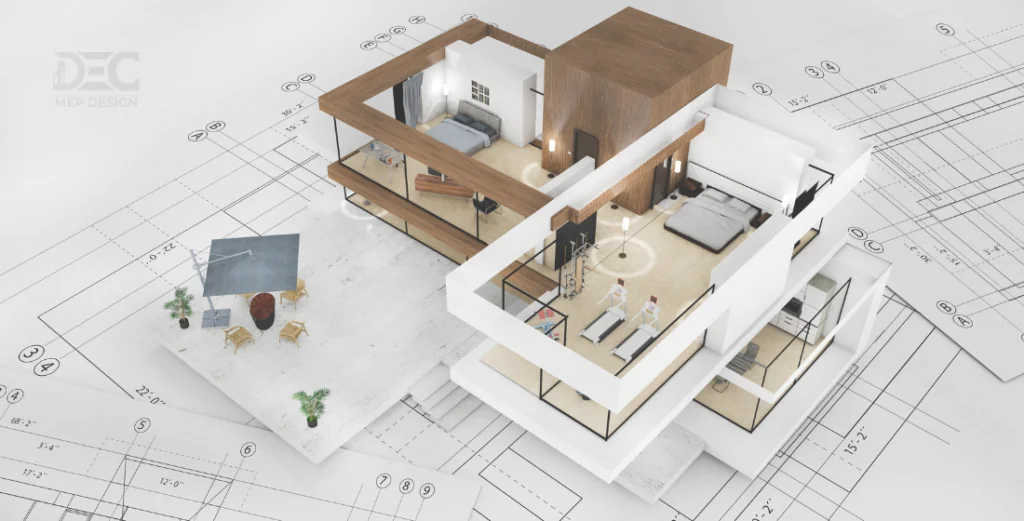
When talking about design and drafting software in the architectural, engineering, and construction (AEC) sector, two of the most widely debated software tools are AutoCAD vs Revit. Which one is better?
They are both owned by Autodesk, but they are intended for different purposes and are tailored to different ends of the building design process. Learning the most important differences between AutoCAD vs Revit and which one is better is essential to choosing the right tool for your project requirements.
Key Differences Between AutoCAD and Revit
- Design Approach:
AutoCAD: Primarily used for 2D drafting and 3D modelling, AutoCAD is all about creating precise drawings that can be shared or printed. It requires the user to input all dimensions and details manually.
Revit:Based on a parametric model, where the design elements (walls, windows, roofs, etc.) are linked together and update automatically when changes are applied.
- Workflow and Collaboration:
AutoCAD: The AutoCAD workflow is primarily centered on drawing individual pieces that are not automatically updated in a multiple-view or multiple-sheet environment.
Revit: Because Revit is a BIM solution, collaboration becomes easier among various stakeholders. This minimizes errors and improves coordination between teams.
- 3D Capabilities:
AutoCAD: Although AutoCAD is capable of 3D modelling, it is essentially a 2D program. The 3D aspects are mostly employed for simple visualisations and conceptualisations, but they do not have the in-depth functionality of Revit.
Revit: Revit is constructed on a 3D space and is intended to produce detailed, data-rich models that are not only visually correct but also functional. Revit allows designers to create real 3D models, detailed schedules, and material quantities automatically.
- Building Documentation:
AutoCAD: Creating building documentation with AutoCAD demands heavy manual labor.
Revit: Revit does a lot of the documentation work for you, tying the model to drawings and schedules.
- Learning Curve:
AutoCAD: Due to its extensive history, AutoCAD is already widely recognized in the industry, and most professionals are already conversant with it.
Revit: Revit’s learning curve can be higher because it has more advanced features and a BIM platform.

When to Use AutoCAD vs. Revit?
Use AutoCAD If:
- You need to create detailed 2D drawings and technical illustrations.
- The project is focused on drafting, schematic design, or retrofitting.
- Your team is familiar with 2D drawings and doesn’t require a collaborative BIM environment.
- You are working on smaller projects that don’t require a comprehensive 3D model.
Use Revit If:
- You are working on larger, complex projects that require a collaborative environment.
- You need to generate detailed 3D models, construction documentation, and schedules.
- The project will benefit from having all stakeholders working with the same integrated model.
- You want to minimise errors through automated updates and efficient design iterations.
"While AutoCAD remains the industry standard for precision 2D drafting and technical detailing, Revit represents the evolution of the AEC industry by integrating Building Information Modeling (BIM) to synchronize design, data, and documentation in a single, collaborative environment."
Choosing between these platforms depends on your project’s scale and complexity.







Companies often neglect to have written standards and policies around their cybersecurity. Why? Because dozens of them are usually needed, covering everything from equipment management to backup procedures, admin credentialing, remote work policies, and so much more. But it’s well worth the effort.